
This month’s edition of The Fix brings a mix of meaningful updates driven directly by user feedback, along with a few enhancements designed to give marketers more control and clarity in their day-to-day work. From new flexibility in how engagement metrics are calculated to improvements across SMS, surveys, and asset management, these updates are all about making the platform more intuitive and aligned with how teams actually operate. Here’s a closer look at what’s new, what’s improved, and what you can start taking advantage of right away.
Delivered-Based Metrics Now Available
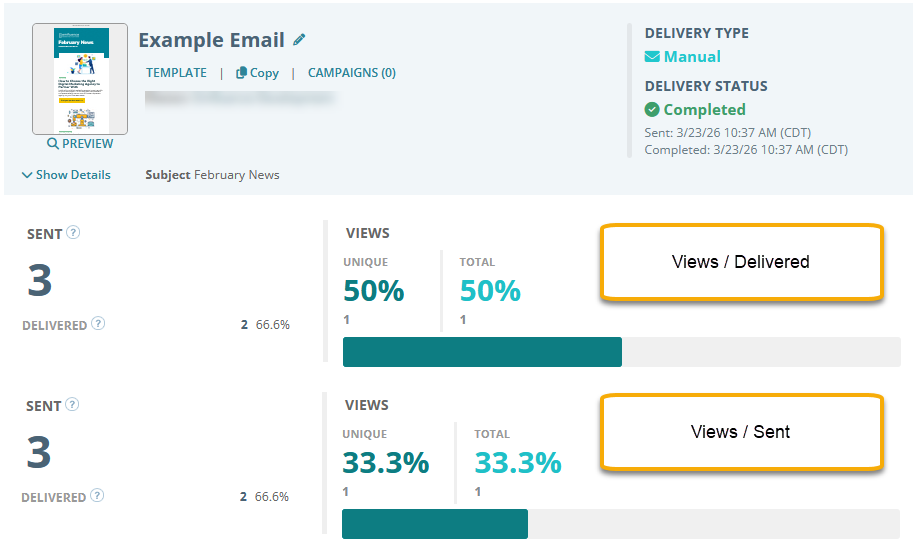
emfluence has traditionally calculated engagement metrics like views and clicks based on the number of emails sent—measuring performance against your full audience.
Some ESPs use delivered instead, excluding bounces. As this approach has become more common, we now offer the option to calculate metrics using delivered as the denominator.
This setting is applied at the account level and will update historical data based on your bounce rates. If you’d like to make the switch, contact support@emfluence.com.
Font Options on Preference Page
CJ Asks: Can you provide more font options on the preference page?
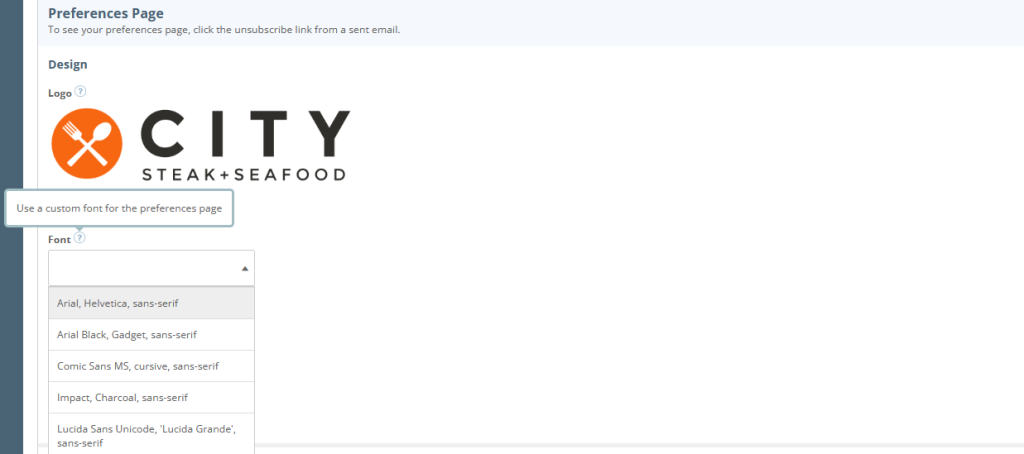
We’ve added a font selection option to the preference page, allowing you to choose from several common fonts.
SMS Line Break for Opt-Out Instructions
SY Asks: Can you add a line break on SMS messages before including the opt-out instructions?
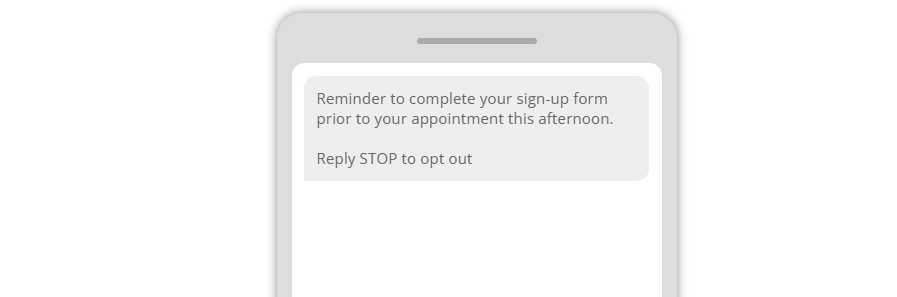
We added spacing between your content and SMS opt-out instructions when enabled.
Image Usage References
JS Asks: Can you make it easier to see where I am using an image?
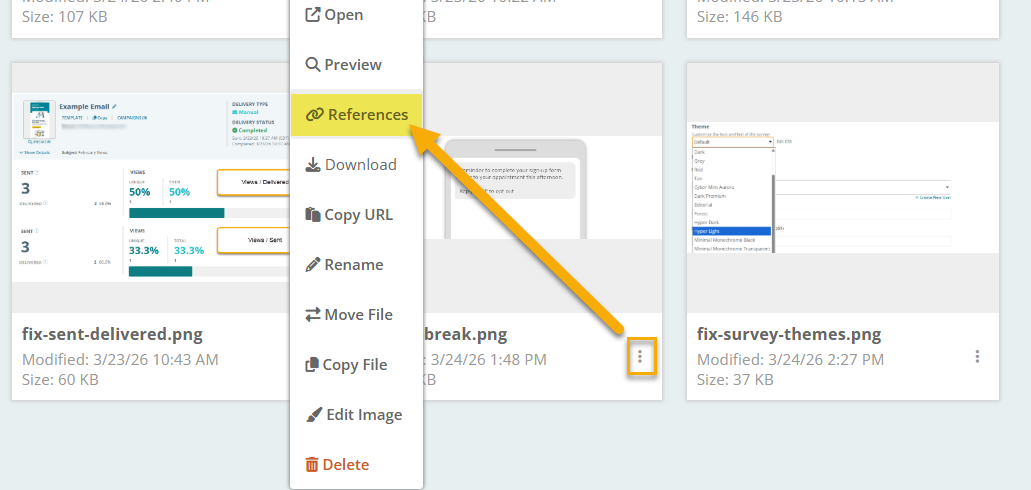
In the image menu, a new References link shows where each image is used across emails and templates.
New Survey Themes
DC Asks: Can you add more starting theme options for surveys
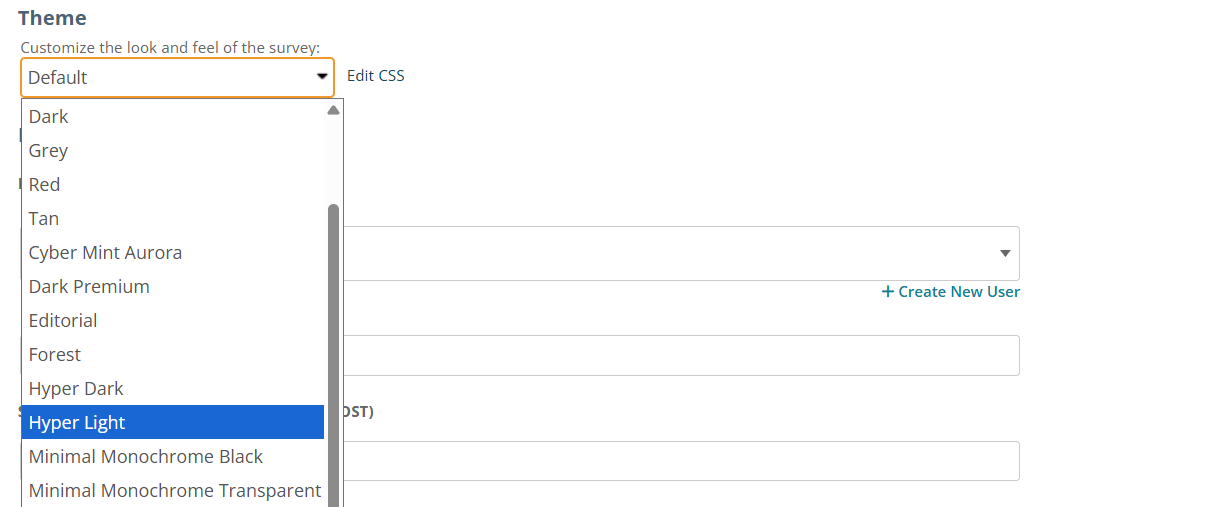
New survey themes have been added, making it easy to update the look and feel of your surveys. As with existing themes, you can further customize using CSS.
Improvements to PDF Download
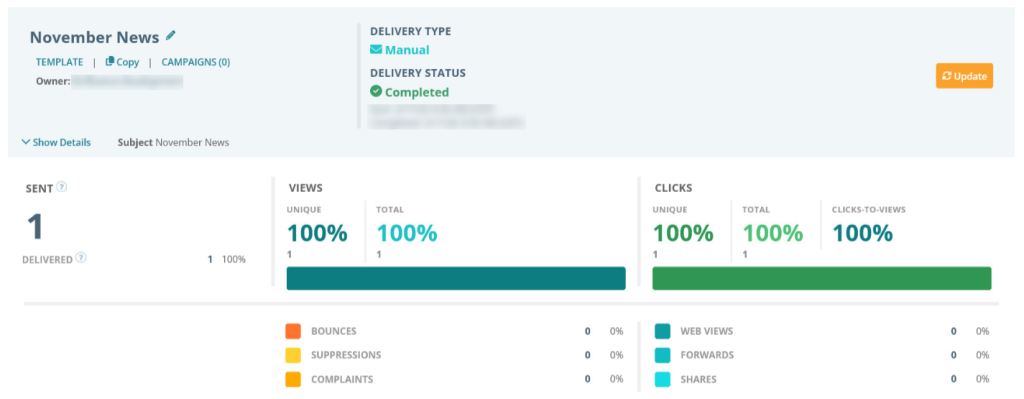
We’ve made some changes to the PDF Email Download Report to better capture data from the summary page.
Support Chat Now Available
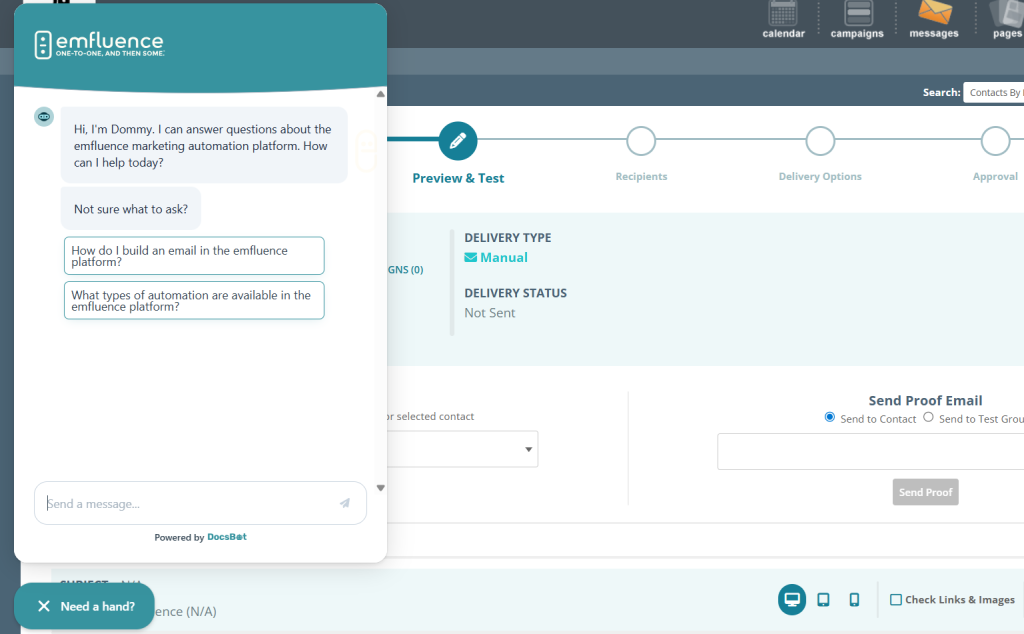
We’re introducing a new support chat to help answer your questions, powered by content from the emfluence Help Section. It provides quick answers and links to relevant help articles when you need them.
Got a request?
Share it in our Help section or vote on requests from our user community.