
When evaluating a marketing automation platform, marketers naturally focus on what they can do with it. They look at email capabilities, customer journeys, segmentation, personalization, and reporting.
But there’s another question that deserves just as much attention: How much marketing activity does your license actually support?
For organizations using Microsoft Dynamics 365 Customer Insights – Journeys, the answer isn’t necessarily straightforward.
Unlike platforms that primarily price their services around contact database size or email volume, Customer Insights – Journeys uses a capacity-based licensing model built around two important measurements: interacted people and monthly interactions.
Those measurements can affect how organizations plan campaigns, expand audiences, introduce new communication channels, and budget for future growth.
Understanding how the quotas work is essential to avoiding surprises and making informed decisions about your marketing automation investment.
How Dynamics 365 Customer Insights – Journeys Licensing Works
Microsoft Dynamics 365 Customer Insights includes two applications: Customer Insights – Data and Customer Insights – Journeys.
Although they’re part of the same product offering, they serve different purposes and have separate capacity measurements.
Customer Insights – Data focuses on bringing customer information together to create unified profiles.
Customer Insights – Journeys focuses on engaging audiences through marketing communications and automated customer journeys.
For marketers using Customer Insights – Journeys, two quotas are especially important:
- Interacted people: The number of qualifying people or records engaged through Customer Insights – Journeys within a rolling 12-month period.
- Monthly interactions: The number of qualifying outbound communications sent through Customer Insights – Journeys during a calendar month.
These quotas are connected, but they measure different things.
Microsoft’s standard Customer Insights base license includes an entitlement of 10,000 interacted people and 100,000 unified people. Additional capacity can be purchased, and organizations with legacy licensing arrangements may have different entitlements.
The important distinction is that the number of people you engage and the number of messages you send both influence your licensing requirements.
For Microsoft’s current definitions and entitlements, see the Customer Insights licensing guidance.
What Counts as an Interacted Person?
An interacted person is a qualifying Dataverse record that has received an interaction orchestrated through Customer Insights – Journeys.
That can include contacts, leads, Customer Insights – Data profiles, and other supported entities.
For example, imagine your organization has 50,000 contacts in Dynamics 365, but only 8,000 have received marketing communications through Customer Insights – Journeys during the past 12 months.
Under Microsoft’s interacted-people measurement, the relevant number would generally be those 8,000 engaged records, not every contact stored in your CRM.
How Long Does Someone Count as an Interacted Person?
Once a record qualifies as an interacted person, it remains counted until it has gone 12 months without a qualifying interaction.
That means the measurement doesn’t simply reset at the beginning of each calendar year.
Consider a contact who receives a marketing email in March. If that contact receives no further qualifying interactions, they generally remain within the interacted-people count until the applicable 12-month period has passed.
If the contact receives another qualifying interaction during that period, the relevant activity window extends.
This distinction matters for organizations that communicate with different audiences throughout the year.
A seasonal campaign may reach people who aren’t part of your regular monthly communications, but those recipients can still contribute to your interacted-people usage for months afterward.
Does Every Contact in Dynamics 365 Count?
No.
Simply storing a contact or lead in Dynamics 365 doesn’t automatically make that record an interacted person.
The measurement is based on qualifying interactions orchestrated through Customer Insights – Journeys.
However, marketers should also understand that the calculation is based on qualifying records, not necessarily a perfectly deduplicated count of individual human beings.
Data quality and record management therefore deserve attention when evaluating capacity.
What Counts Toward the Monthly Interaction Quota?
The second major measurement is monthly interactions.
An interaction is a qualifying outbound communication orchestrated through Customer Insights – Journeys.
According to Microsoft’s licensing documentation, counted events include:
- Emails sent
- CC email sends
- SMS messages sent
- Push notifications sent
- Voice channel messages sent
- Custom channel messages sent
Inbound activities such as form submissions aren’t counted toward this outbound interaction quota.
The interaction quota resets monthly, unlike the rolling 12-month interacted-people measurement.
How the 10x Interaction Allowance Works
Under Microsoft’s standard licensing model, an organization’s monthly interaction allowance equals 10 times its licensed interacted-people capacity.
| Licensed Interacted People | Monthly Interaction Allowance |
| 10,000 | 100,000 |
| 25,000 | 250,000 |
| 50,000 | 500,000 |
| 100,000 | 1,000,000 |
These figures illustrate the standard 10x calculation, not separate licensing packages or prices.
Importantly, the 10x allowance applies to the organization’s total interaction volume. It does not mean each individual contact is limited to 10 messages per month.
For example, an organization with 10,000 licensed interacted people could distribute its 100,000 monthly interactions unevenly across its audience.
Some contacts might receive one message, while others receive several messages.
What matters for this quota is the total qualifying outbound interaction volume.
Microsoft documents this calculation in its Customer Insights licensing guidance.
Why These Quotas Matter for Marketing Planning
Understanding the definitions is one thing. Understanding how they affect everyday marketing decisions is another.
The impact becomes more apparent as organizations expand their programs.
Campaign Frequency Can Affect Capacity Requirements
Suppose a company regularly sends four email campaigns per month to 15,000 recipients.
That represents approximately 60,000 outbound interactions before accounting for automated journeys, SMS campaigns, or other qualifying messages.
Now imagine the marketing team adds a weekly newsletter, a new lead nurture program, and a re-engagement campaign.
Even if the audience doesn’t grow dramatically, the total number of interactions could increase significantly.
This creates an important planning consideration: Marketing teams need to forecast communication frequency as well as audience size.
Multiple Channels Share the Interaction Allowance
Customer Insights – Journeys supports communications across multiple channels.
However, qualifying outbound interactions from those channels contribute to the overall monthly interaction measurement.
For example, an organization might send:
- 40,000 promotional emails
- 25,000 automated nurture emails
- 15,000 SMS messages
- 10,000 other qualifying outbound messages
That represents 90,000 monthly interactions.
For an organization licensed for 100,000 monthly interactions, the remaining capacity would be relatively limited.
SMS provider fees and other channel-specific costs may also apply separately from the Customer Insights – Journeys interaction allowance.
Seasonal Campaigns Can Create Unexpected Peaks
Many organizations don’t send the same volume of communications every month.
- Retailers may increase activity during the holidays.
- Universities may send more communications during enrollment periods.
- B2B organizations may launch major campaigns around events, product announcements, or annual planning cycles.
Microsoft recommends planning for the highest monthly interaction volume you expect, rather than relying exclusively on an average month.
That’s because unused monthly interaction capacity doesn’t roll over.
An organization with relatively modest activity for most of the year could still need additional capacity to support its busiest month.
Multiple Environments Can Contribute to Usage
Customer Insights – Journeys quotas are managed at the tenant level.
That means qualifying activity across production, sandbox, and other applicable environments contributes to the overall tenant-level usage.
Marketing and CRM administrators should account for activity across environments rather than assuming each installation has its own independent allowance.
This becomes particularly important for organizations with multiple business units, development environments, or complex Dynamics deployments.
How to Check Your Customer Insights – Journeys Quota Usage
Marketers shouldn’t have to wait until a campaign is ready to launch before discovering that their organization is approaching its capacity limits.
Microsoft provides quota monitoring within Customer Insights – Journeys.
To review usage:
- Open Customer Insights – Journeys.
- Navigate to Settings > Overview > Quota limits.
- Review your organization’s interacted-people entitlement and usage.
- Check the current month’s outbound interaction consumption.
- Review usage across other environments in the tenant.
The Quota limits page also includes usage charts that can help teams understand consumption patterns.
Microsoft indicates that organizations receive in-app notifications as they approach or exceed their paid quotas.
For current navigation and reporting details, see Microsoft’s Monitor your monthly quotas documentation.
What Should Marketers Monitor?
Rather than treating quota monitoring as an administrative task performed only at renewal time, marketing teams should review usage alongside their campaign plans.
Pay attention to:
- Current interacted-people usage: How much of your licensed audience capacity is already being consumed?
- Monthly interaction volume: How close are you to your monthly allowance?
- Audience expansion: Will upcoming campaigns introduce new recipients who haven’t been engaged during the previous 12 months?
- Campaign frequency: Are additional automated journeys, newsletters, or SMS programs increasing total sends?
- Seasonal demand: Could a planned campaign create a substantial increase in activity?
- Environment usage: Is activity outside your primary production environment contributing to the tenant total?
These questions help turn licensing information into practical marketing planning.
How to Estimate the Capacity Your Marketing Program Needs
Before purchasing additional capacity or renewing an existing agreement, build a realistic estimate of your marketing activity.
Start with the number of distinct records you expect to engage over a rolling 12-month period.
Then calculate your expected outbound interaction volume during your busiest month.
For example:
| Planned Activity | Monthly Interactions |
| Two newsletters to 12,000 recipients | 24,000 |
| Automated nurture campaigns | 18,000 |
| Customer lifecycle communications | 12,000 |
| SMS campaigns | 8,000 |
| Seasonal promotional campaign | 30,000 |
| Estimated peak monthly total | 92,000 |
In this hypothetical example, the organization would need sufficient interacted-people capacity to cover both its rolling audience count and the monthly interaction requirement.
Under the standard 10x rule, 92,000 interactions would require an entitlement supporting at least 9,200 interacted people based on interaction volume alone.
However, if the organization expects to engage 18,000 distinct qualifying records during the rolling 12-month period, the interacted-people requirement would be higher.
The organization must plan for both measurements.
This is why estimating license requirements based solely on the number of contacts in a database—or the average number of emails sent—can be misleading.
Don’t Forget Other Licensing and Service Limits
Interacted people and monthly interactions aren’t the only considerations.
Depending on the implementation, organizations may also need to evaluate:
- Sending throughput and how quickly large campaigns can be processed
- SMS provider arrangements and related messaging costs
- Dataverse storage and capacity
- Additional Customer Insights – Data requirements
- Other service limits that apply to specific features or environments
Microsoft’s service limits and fair use policy provides additional technical details.
These limits shouldn’t be confused with the organization’s purchased interacted-people and monthly interaction entitlements.
What Happens When You Approach Your Quota?
Approaching a quota should prompt a review of planned activity and licensing capacity.
Microsoft provides notifications when organizations approach or exceed paid consumption quotas. Organizations that need greater capacity can purchase additional entitlements.
However, marketing teams shouldn’t assume that purchasing additional capacity is the only decision worth considering.
It’s also an opportunity to evaluate whether current campaigns are delivering enough value to justify the investment.
Ask:
- Are we regularly communicating with audiences that no longer engage?
- Are automated journeys sending messages that are genuinely useful?
- Are multiple campaigns reaching the same recipients unnecessarily?
- Could better segmentation improve relevance without increasing send volume?
- Is our marketing automation platform still aligned with our team’s needs and budget?
The objective shouldn’t be to minimize communications simply to stay under a quota.
It should be to ensure that marketing activity is intentional, effective, and supported by a licensing model that makes sense for the organization.
Should Dynamics Users Consider Other Marketing Automation Options?
For some organizations, Customer Insights – Journeys is a good fit.
Its connection to Dataverse and the broader Microsoft ecosystem can provide valuable capabilities for organizations with the right technical resources and marketing requirements.
But being a Dynamics 365 customer doesn’t mean Customer Insights – Journeys is the only option.
Organizations can also use dedicated marketing automation platforms that integrate with Dynamics 365 Sales and CRM.
That distinction is important: Your CRM and your marketing automation platform don’t have to be the same product.
When comparing options, look beyond the features available in each platform.
Consider how the platform handles audience capacity, email and SMS volume, integration, implementation, ongoing administration, and future growth.
Our guide to marketing automation options for Microsoft Dynamics 365 explores the differences between native Microsoft marketing tools and third-party platforms.
Evaluate the Total Cost of Marketing Automation
Licensing is only one part of the investment.
A platform may also require time and resources for configuration, administration, integration management, troubleshooting, and campaign execution.
Those costs become especially relevant when marketing teams depend on technical specialists to make routine changes.
We explore this challenge in Why Dynamics 365 Marketing Can Leave Marketers Dependent on IT.
Before committing to additional capacity, organizations should evaluate whether their current platform supports the way they want to work.
Look for an Integration That Supports Your Existing CRM
If your organization already relies on Dynamics 365, switching marketing automation platforms doesn’t necessarily mean replacing your CRM or losing access to valuable customer data.
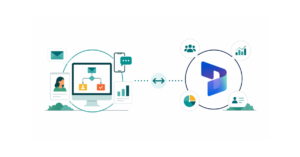
The emfluence Marketing Platform offers a Microsoft Dynamics 365 integration designed to connect CRM data with email marketing, SMS, segmentation, automation, and reporting.
With two-way synchronization of contacts and leads, CRM-connected audience management, and marketing activity visibility inside Dynamics, emfluence helps teams use their existing CRM investment while working in a dedicated marketing automation environment.
Learn more about the emfluence Marketing Platform for Microsoft Dynamics and how the integration supports marketing and sales teams.
Frequently Asked Questions About Customer Insights – Journeys Quotas
What is an interacted person in Dynamics 365 Customer Insights – Journeys?
An interacted person is a qualifying record, such as a contact or lead, that has received an interaction orchestrated through Customer Insights – Journeys within the previous 12 months. Records stored in Dynamics 365 that haven’t received qualifying interactions generally don’t count toward this quota.
What is the monthly interaction limit in Customer Insights – Journeys?
Under Microsoft’s standard licensing model, the monthly interaction allowance is 10 times the organization’s licensed interacted-people capacity. For example, 10,000 licensed interacted people provide an allowance of 100,000 qualifying outbound interactions per month. Additional service limits may also apply.
Does the interaction quota reset every month?
Yes. The monthly outbound interaction quota resets on the first day of each month, and unused capacity doesn’t carry forward. The interacted-people measurement uses a rolling 12-month period rather than a monthly reset.
Do SMS messages count toward Customer Insights – Journeys interactions?
Yes. Qualifying outbound SMS messages orchestrated through Customer Insights – Journeys count toward the monthly interaction quota. Separate SMS provider costs and requirements may also apply.
Do all contacts in Dynamics 365 count toward the interacted-people quota?
No. Simply storing a contact or lead in Dynamics 365 doesn’t automatically count that record. The quota applies to qualifying records engaged through Customer Insights – Journeys interactions.
Can I use a different marketing automation platform with Dynamics 365?
Yes. Organizations can connect Dynamics 365 Sales and CRM with third-party marketing automation platforms. The available integration capabilities depend on the platform. emfluence, for example, offers a dedicated Dynamics integration that supports contact and lead synchronization, CRM-connected marketing activity, and automated campaigns.
Understand Your Quotas Before They Limit Your Marketing Plans
Dynamics 365 Customer Insights – Journeys quotas aren’t just a licensing detail for administrators.
They affect how marketers plan campaigns, expand audiences, introduce new channels, and forecast future needs.
Understanding the difference between interacted people and monthly interactions gives teams a clearer picture of the capacity their marketing programs require.
It also creates an opportunity to ask a broader question: Is your current marketing automation platform providing the flexibility, usability, and value your organization needs?
The right solution should support your marketing strategy as it evolves—not make growth unnecessarily difficult to plan.
Explore Marketing Automation Built for Dynamics 365
The emfluence Marketing Platform gives Dynamics 365 users another way to connect CRM data with email marketing, SMS, segmentation, and automated customer journeys.
If you’re evaluating your current marketing automation investment or exploring alternatives to Customer Insights – Journeys, we’d be happy to show you how emfluence works alongside Microsoft Dynamics.
Schedule a demo to explore the integration and discuss your team’s marketing automation needs.