
This month’s updates make it easier to navigate the emfluence Marketing Platform, edit workflows, and personalize content. We’re also sharing the new Drag & Drop Email Template Builder and online certification courses. Here’s what’s new:
Updated Menus and Navigation
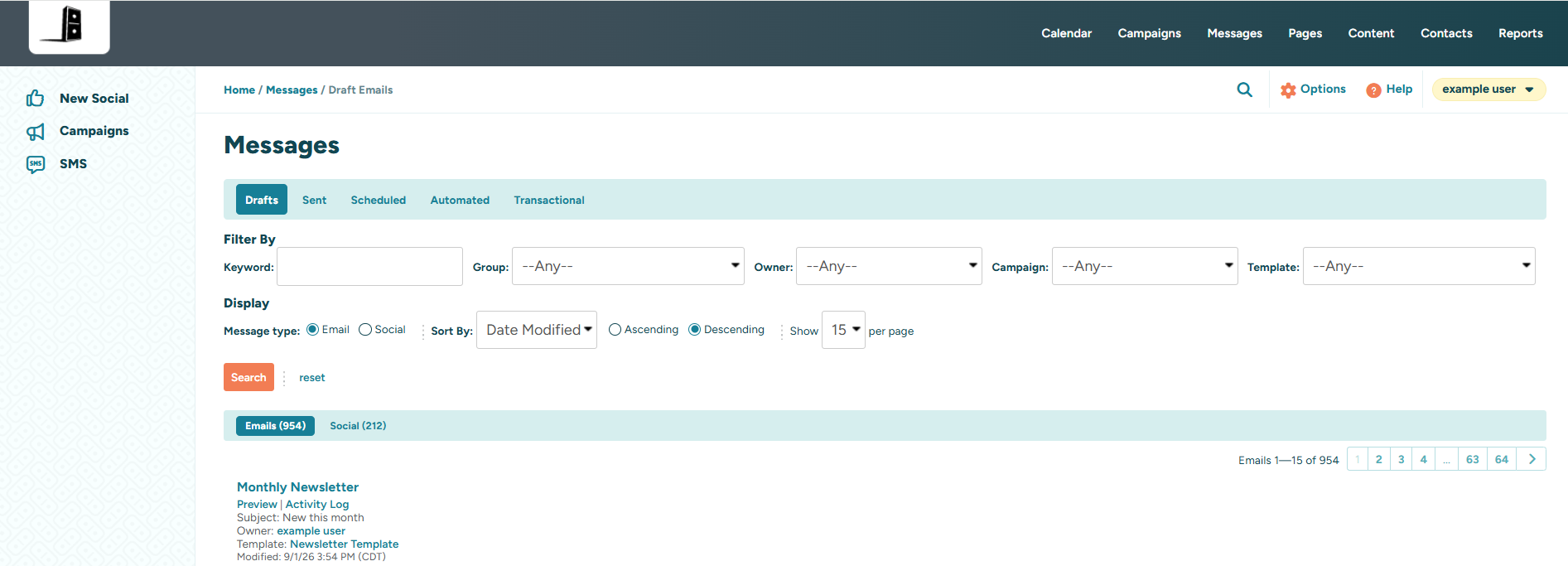
Our latest UI updates include a refreshed navigation experience designed to make key tools and options easier to find. While the functionality remains the same, you’ll notice a cleaner, more streamlined layout.
The left-hand menus have been updated, and a new row below the top navigation now brings breadcrumbs, search, options, help, and user settings together in one place.
The user menu has also moved to the far right, where a dropdown provides quick access to your profile, logout, and, for resellers, the reseller gateway.
Workflow Improvements
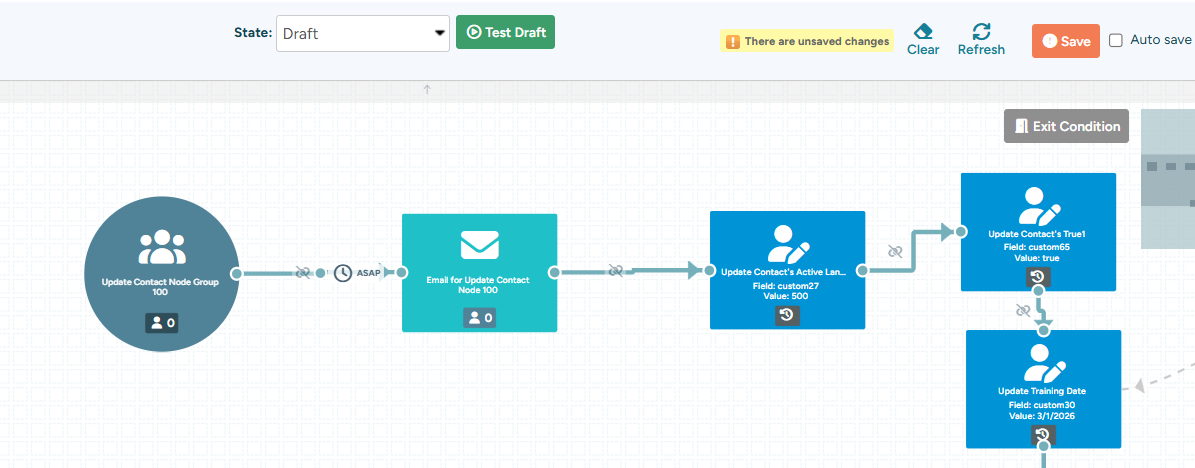
We’ve made several small updates to workflows to make building and editing them smoother. Actions like adding, removing, connecting, or disconnecting nodes will no longer automatically refresh the workflow, while selecting a group or email will still trigger a refresh.
We’ve also updated the Clear button and added a new manual Refresh button, giving you more control over when the workflow reloads.
More Flexibility with Conditional Content
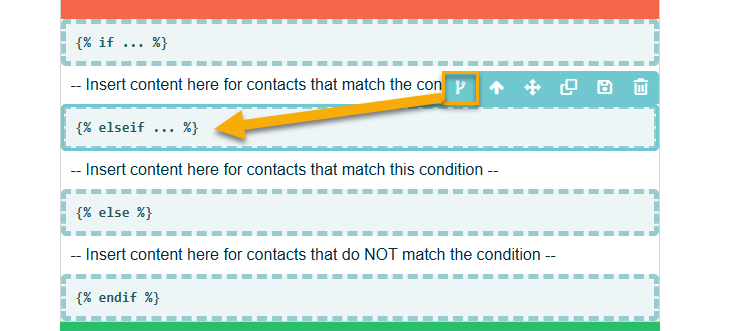
We’ve added an “else-if” condition to Conditional Content, giving you more flexibility when creating personalized experiences. The new condition can be added to emails, templates, and landing pages directly from the Conditional Content menu.
Got a request?
Share it in our Help section or vote on requests from our user community.